
To assist you in advising your students about the ethical use, referencing and acknowledgement of generative AI (GenAI) in their assignments, the Library has created a Generative AI study guide that can be embedded direct to your Canvas site.
The Generative AI study guide covers key aspects your students should be thinking about if they are using GenAI in their assignments, including:
- considerations when using GenAI
- types of GenAI
- ethical use and evaluation of academic integrity
- referencing and acknowledging GenAI
- additional support for researching, referencing, academic writing skills and academic integrity for assignments.
Embedding the Generative AI Study Guide into your Canvas site
The Generative AI Study Guide can be embedded in Canvas on a standalone page (recommended) or on a page that already contains other content.
To embed the Generative AI guide on your Canvas site, follow these steps.
- Create a new page inside a module (the + button):

- Select External tool from the dropdown menu:

- Select Library Study Guides. Scroll down to rename the embedded content page name, then select Add item:

- Click Library Study Guides to select which Study Guide to embed:

- In the Content Type dropdown menu select your desired content type. (When selecting a box, clicking Display box without header and border will have no effect if the Study Guide element is set to floating, as is recommended).

- In Guide dropdown menu, search and select the specific guide you want to embed, then select the specific Guide Page. Leave the Guide Page blank to embed the full guide.
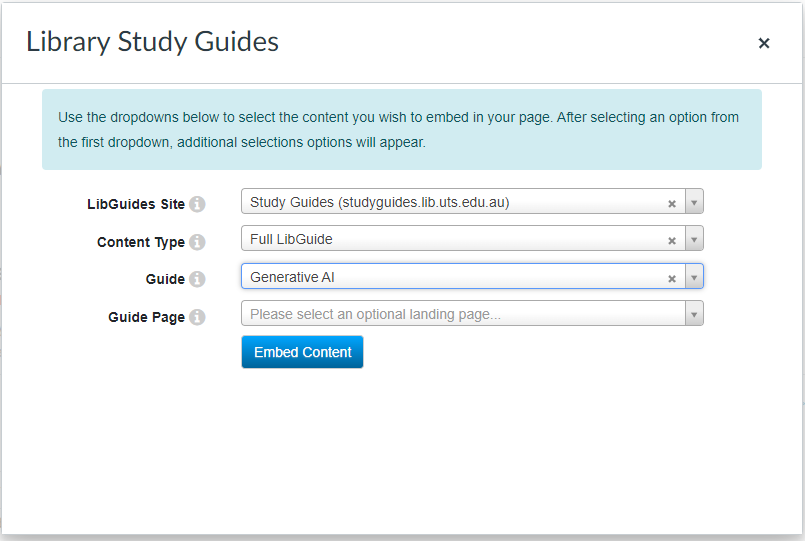
- Select Embed Content to finish embedding the guide to your Canvas site.
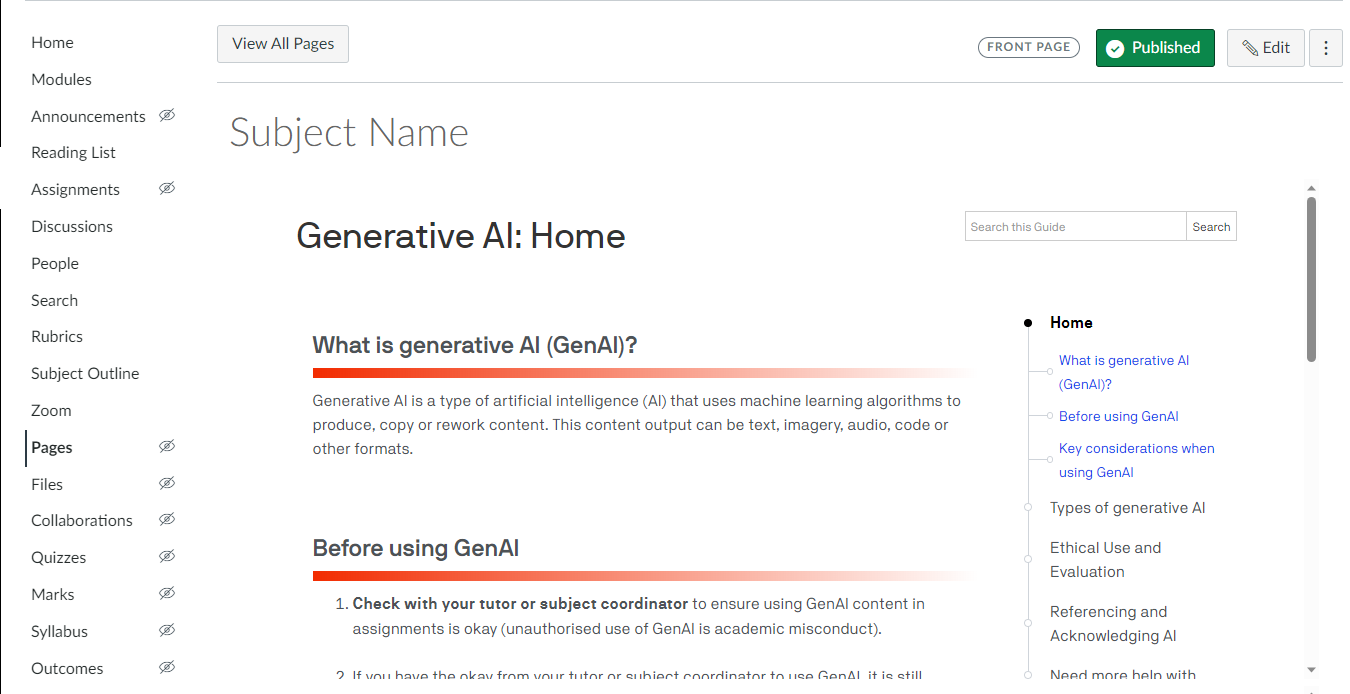
Your Canvas page will now have the full guide or single page of the guide embedded directly alongside your subject content for students to access quickly and easily.
Get help
For assistance embedding the Generative AI study guide in your subject site, consult your faculty librarian or contact the Library.